Your idea. In motion.
Create images and individual video scenes with AI.
- Windows 10/11 · full version
- macOS · preview


Three AI platforms. One production workflow.

Google Flow
Images, video and scene extension

ChatGPT
Images from prompts

Grok
Images, image editing and video
Your story. Your visual style.
All · 4 / 4
16:9
The summer train
A letter from the forest
The tiny garden
Choose a story
One frame. A story begins.
Plan your shots, then use a starting image and a motion prompt with Flow or Grok.
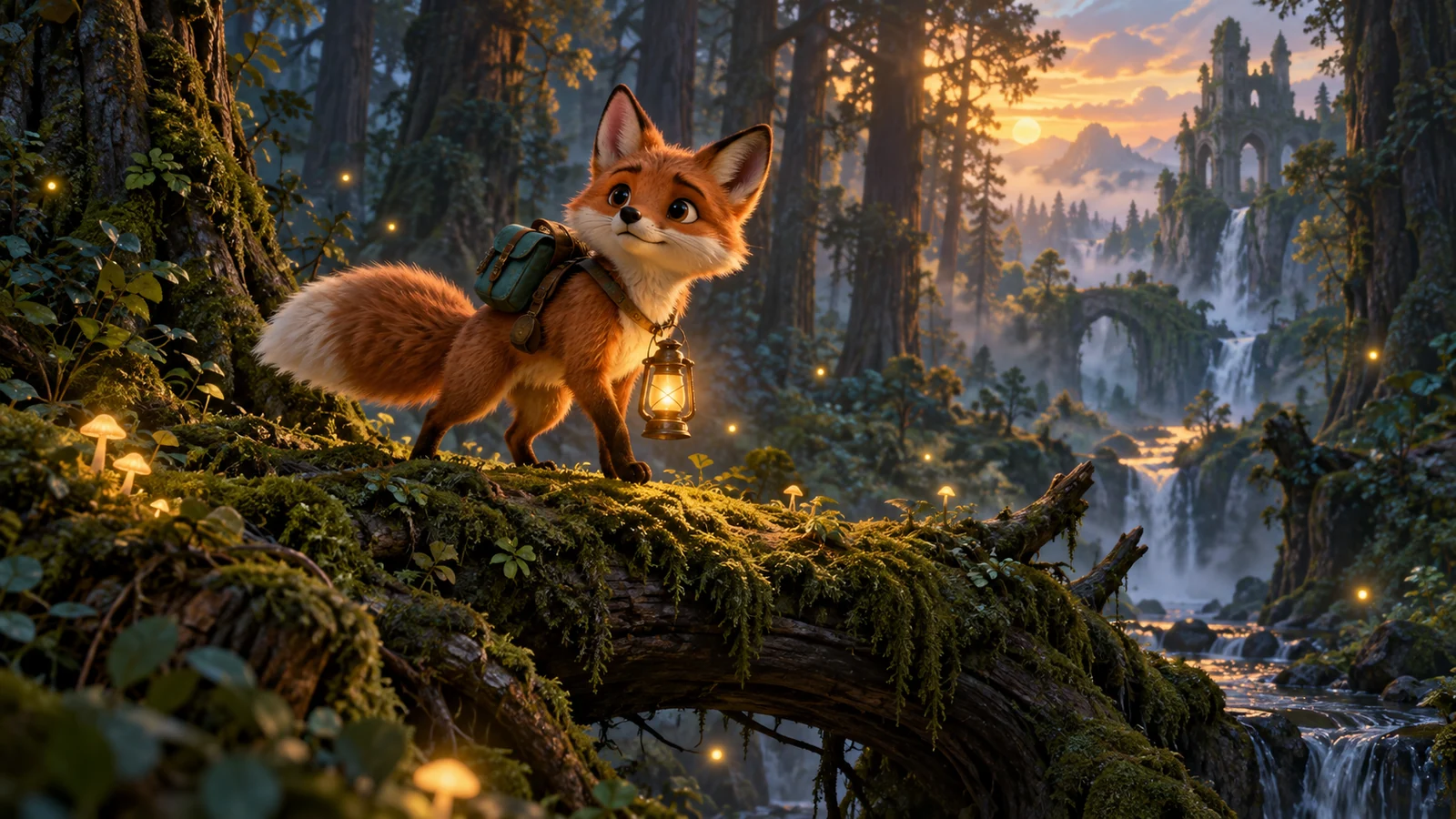
Concept artwork16:9
3D animation
Keeper of the light- 01
Establish the world
Start wide to introduce the setting.
- 02
Meet the character
Move closer to the character and their action.
- 03
Find the emotion
End on a detail that leads into the next scene.
Motion prompt (English)
Slow camera push-in toward the little fox on the mossy log. The fox lifts its head toward the distant castle, its ears twitch gently, fireflies drift and the lantern glows. Preserve the fox's face, teal backpack, four legs and single tail. Keep the polished 3D animation style, with no sudden cuts or new characters.
Generate individual clips in the app; edit the film and add audio in your video editor.Production workflow
One idea, one scene at a time.
01
Write scene prompts
Describe the character, setting and action. Paste prompts or import .txt, one prompt per line.
02
Choose references
Select the platform, model and ratio. Use @name from the character library and images in supported modes.
03
Run and monitor
Review the queue, track progress and retry failed steps when needed.
04
Bring scenes into editing
Save images and clips to your chosen folder, then assemble them in your video editor.
More time for your story.
One queue, many prompts
Run a list and keep results organized by scene.
Reusable characters
Store descriptions and reference images; use @name in prompts.
A prompt library
Save tagged templates, fill variables, import and export prompts.
Images into video
Create clips with Flow or Grok. Flow can extend from the previous scene's last frame.

Clear progress
Inspect logs and resume unfinished or failed steps.
Separate profiles
Manage provider logins and choose the account to use.
Choose your production schedule.
All plans cover one computer. One month equals 30 days; renewals add to your remaining time.
1 month
VND 499,000/ 30 days
≈ VND 499,000 per month
ActivateActivation
- 1
Copy your key
Open Settings → License in the app and copy the key.
- 2
Contact support
Send the key and your chosen plan. The administrator confirms payment and activates it.
- 3
Check activation
Check the license in the app, then configure and sign in to your AI provider.
1 computer per key · AI accounts, subscriptions and credits are billed separately.
Every plan includes
- Image and video tools
- Character and prompt libraries
- Queue, history and local results
Prices are in Vietnamese đồng (VND). Contact support for activation or reseller terms.
Before you start.
01Are AI credits included?
No. The license covers Sản Xuất Phim on one PC. Provider accounts, subscriptions and credits are separate.
02What does each provider support?
Flow creates images and video and extends scenes. ChatGPT creates images. Grok creates and edits images and generates video. Availability depends on your account.
03How do I import prompts?
Paste prompts or import a .txt file, one prompt per line. For Excel, copy the prompt column or export it to .txt.
04Will characters stay identical?
The library reuses descriptions and supported reference images. Identity and motion still depend on the model and inputs; review each scene.
05What do I need?
Windows 10/11 64-bit, Internet and an eligible AI account. The macOS version is a preview: the app opens, but the browser control that generates images and video is still being finished. Check the environment and browser profiles in Settings before running.
06What happens if a job fails?
Inspect the logs and resume unfinished or failed steps. Completed steps are kept. Regeneration can use additional provider credits.
07How do renewals and offline licenses work?
Contact support to add days. A cached license lasts up to 7 days without exceeding its expiry. AI generation still requires Internet.
08Where is my data stored?
Libraries, history and results stay on your PC. Prompts and input images are sent through the configured provider connection. The license server receives the key and device details.
Your next story starts with you.
Contact the administrator for the installer, setup help and key activation.

